
xPicture Review

Reviewed by AI Surf Dude

A compact AI image editor whose appeal is simple: start with a source image, choose a direction and keep the iteration loop closer to editing than to a full-blown prompt-engineering hobby.
Verdict: xPicture starts where a lot of people actually want to start: with a source image. You point it in a direction and refine, and the loop stays closer to editing a picture than to the prompt-engineering hobby some generators quietly turn into. If long text prompts wear you out, that framing alone is a relief.
The appeal is the tight iteration. Instead of firing blind at a text box and hoping, you work from something concrete and nudge it toward what you had in mind, so the results feel earned rather than randomly rolled. The flip side is that it is compact by design: anyone hunting for a sprawling dashboard of models and side-tools will hit the ceiling fast.
That ceiling is the honest reason it sits mid-board at 8.2 rather than climbing higher. It never tries to be a full studio and does not pretend to be. For iterating on an image you already picture in your head, though, it gets there with very little ceremony, and for the right creator that directness beats a long feature list.
What xPicture actually is
xPicture belongs in the image-editor lane because the useful starting point is an image workflow rather than a character chat or enormous model catalogue. It is for people who want to make a visual change, assess the output and refine from a familiar source instead of constructing every scene from a blank page.
Its clearest identity is AI image transformation editor. That focus helps readers decide whether the service belongs in their rotation before a new login, a new tab and a new tiny account icon all start breeding.
First impressions and navigation
In hands-on use, xPicture feels best when the session has a clear purpose. The interface puts the main action close to the front, and the useful choices arrive before the product asks for a grand commitment. That small kindness matters: The experience should feel inviting, not like a vending machine that has learned to make eye contact.
The first useful question is answered quickly: what is the next meaningful action? xPicture keeps its primary flow visible, which makes the early minutes feel like a real product rather than a launch trailer with a password field.
The main workflow
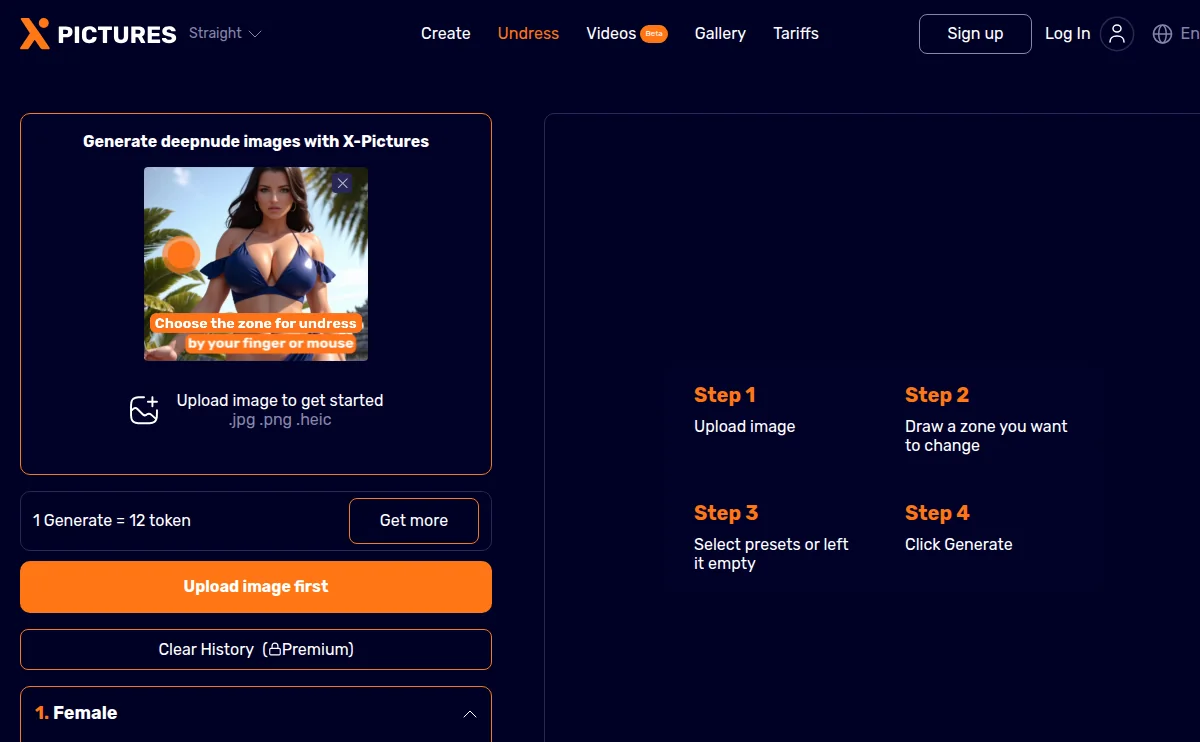
The practical rhythm is straightforward: choose the transformation, supply the allowed source material, adjust the request, generate and keep the usable result in the account history. That makes it a better fit for a focused edit than a broad generator whose settings panel needs a postcode.
The difference between a flashy first click and a product worth returning to is continuity. xPicture gives a user a practical route to start small, correct course and save the parts that work. It rewards a little intention without demanding a user become an unpaid administrator of their own fantasy.
Quality, consistency and reasons to return
The best sessions are deliberate rather than random. A clean source, a single visual goal and a little patience between iterations give the model a stable target. xPicture feels approachable because it keeps that edit-and-review loop in view instead of making every result feel like a detour through five unrelated tabs.
That is the lasting appeal. A useful product gives people a way to develop a favourite idea instead of making every visit feel like meeting a new character at a very loud party. xPicture is strongest when a user lets its central workflow do the job it was designed for.
Customisation and creative control
Control lives in the source-image choice and the requested transformation. That is a meaningful kind of control: it lets users direct the outcome without needing to memorise a private language of samplers, seeds and settings that only a spreadsheet could love.
Controls are valuable when they change an outcome. The right setup makes a character, scene or image feel more coherent; the wrong setup merely produces a longer menu. xPicture is best approached with a few intentional choices and enough room for iteration.
Free access and onboarding
The live product and checkout determine the current access allowance. Start by testing the workflow with a non-sensitive image and save account creation for when an edit is worth retaining.
Onboarding should answer one honest question quickly: does this product suit the way I actually want to use it? Start with the available entry route, test the core loop, then decide whether the advanced features will be used often enough to matter.
Pricing and value
AI Porn Surf awards 8.2/10: Its compact source-led transformation loop is easy to learn and refine, trading broad tool sprawl for a focused editing workflow. Current pricing remains subject to the live checkout.
Mobile experience
xPicture is available through responsive web. The primary discovery and session flow fits a phone naturally, while more careful building, prompt work or account comparison is easier with a larger keyboard. That is a normal trade-off, not a reason to avoid the product.
Privacy and account handling
Image tools deserve calm, practical privacy habits. Use only images you are authorised to edit, avoid uploading identifying material unless it is genuinely necessary, and review account deletion controls when a project is finished.
Content rules
Use original or authorised images only. Adult creative tools are not permission to manipulate a real person without consent, and minors or illegal material are out of bounds.
Clear boundaries keep a fictional adult tool enjoyable. They are not a lecture and they do not need to spoil the creative part; they simply keep the work in the lane where everyone involved is represented with consent and common sense.
Billing, cancellation and support
Use the product account and official contact route shown in the live service for access, deletion or billing questions.
Strengths and minor limitations
What works
- A compact AI image editor whose appeal is simple: start with a source image, choose a direction and keep the iteration loop closer to editing than to a full-blown prompt-engineering hobby.
- A direct route from discovery into the primary experience.
- Useful repeat-visit potential when the user keeps a clear character or creative direction.
- Adult-friendly fictional framing with practical account considerations.
What to know first
- Live plans and promotions should be checked at checkout.
- The best results reward a little deliberate setup.
- A larger screen remains more comfortable for detailed configuration.
How xPicture compares
Undress.ws has a broader published editor-and-video proposition. xPicture is the narrower choice when a source-led image transformation is the main job and a smaller workflow is a feature, not a limitation.
Who it suits
xPicture is best for adults who want a focused, source-led AI image workflow and prefer iteration over a sprawling creative dashboard.
Getting more from the core experience
The useful way to spend time with xPicture is to make the first few choices count. In image editing, a clear direction creates better results than frantic experimentation: identify the one character, scene, visual idea or conversation mood that genuinely appeals, then give it enough continuity to become recognisable. That is how a session turns into something worth saving rather than another tab that vanishes into browser history by breakfast.
What makes a return visit worthwhile
Returning to xPicture feels most rewarding when the earlier session has left a useful thread to pick up. That may be a character with a consistent voice, a saved creative direction, a scene with unfinished momentum or simply a clearer understanding of which controls produce the right result. The product does not need to turn every visit into a grand event. It just needs to make the next click feel more useful than the previous one.
That is where product polish shows itself. Navigation should make it easy to find saved work, the primary action should remain close at hand and any paid feature should make a familiar workflow deeper rather than replace it with a separate product. xPicture earns its recommendation by offering a recognisable route back into its main experience.
Small choices that improve the experience
Polish, pacing and practical expectations
xPicture is at its best when it is allowed to be the kind of product it is. A focused tool does not need to imitate a giant studio, and a character-led service does not need to pretend it is an all-purpose operating system. The interface earns trust by keeping the useful lane legible, surfacing the next action and making a user’s saved work feel like part of the product rather than an afterthought.
A sensible first-week approach
For regular users, the staying power comes from iteration. Keep the elements that make a session distinct, revisit them with a clearer idea and let the product’s strongest features do their work. xPicture does not need to be perfect at every imaginable task to be a good recommendation. It needs to be enjoyable, capable and easy to return to for the audience it serves—and that is the quality this review is designed to highlight.
A note on using advanced features
Once the core image editing flow is familiar, advanced features become much easier to evaluate. The right question is not whether every option sounds impressive in a feature list. It is whether that option improves the result you already enjoy: a richer continuation, better creative iteration, a clearer character identity or a more convenient way to return to saved work. xPicture is strongest when its extras support the central experience rather than distract from it.
How this review was built
Method: AI Porn Surf opened xPicture’s official destination and used the source-image path available on July 12, 2026. Paid capacity, billing and unexposed processing options were not claimed as tested.
Primary sources: xPicture official destination. Accessed July 12, 2026.
Final recommendation
xPicture is for users who already have an authorised image and would rather steer it visually than write a long prompt. Run a small, deliberate edit and see whether the source-led loop feels natural before checking paid capacity. Prompt enthusiasts and users needing extensive model controls will find more suitable tools elsewhere.